The desktop for modern work.
A work environment that works with you — not against you.

A work environment that works with you — not against you.
Works across the apps you already use.
 Chrome
 Arc
Arc
 VS Code
 Cursor
 GitHub
 Notion
 Obsidian
 Google Docs
 ChatGPT
 Claude
 Gemini
 Perplexity
 Slack
Slack
 ClickUp
Power Strip
Run tools, automations, captures, agents, and project actions from wherever you're working. Power Strip stays available across your apps so you can act on the work in front of you without breaking focus.
One place to capture, organize, run, and move.
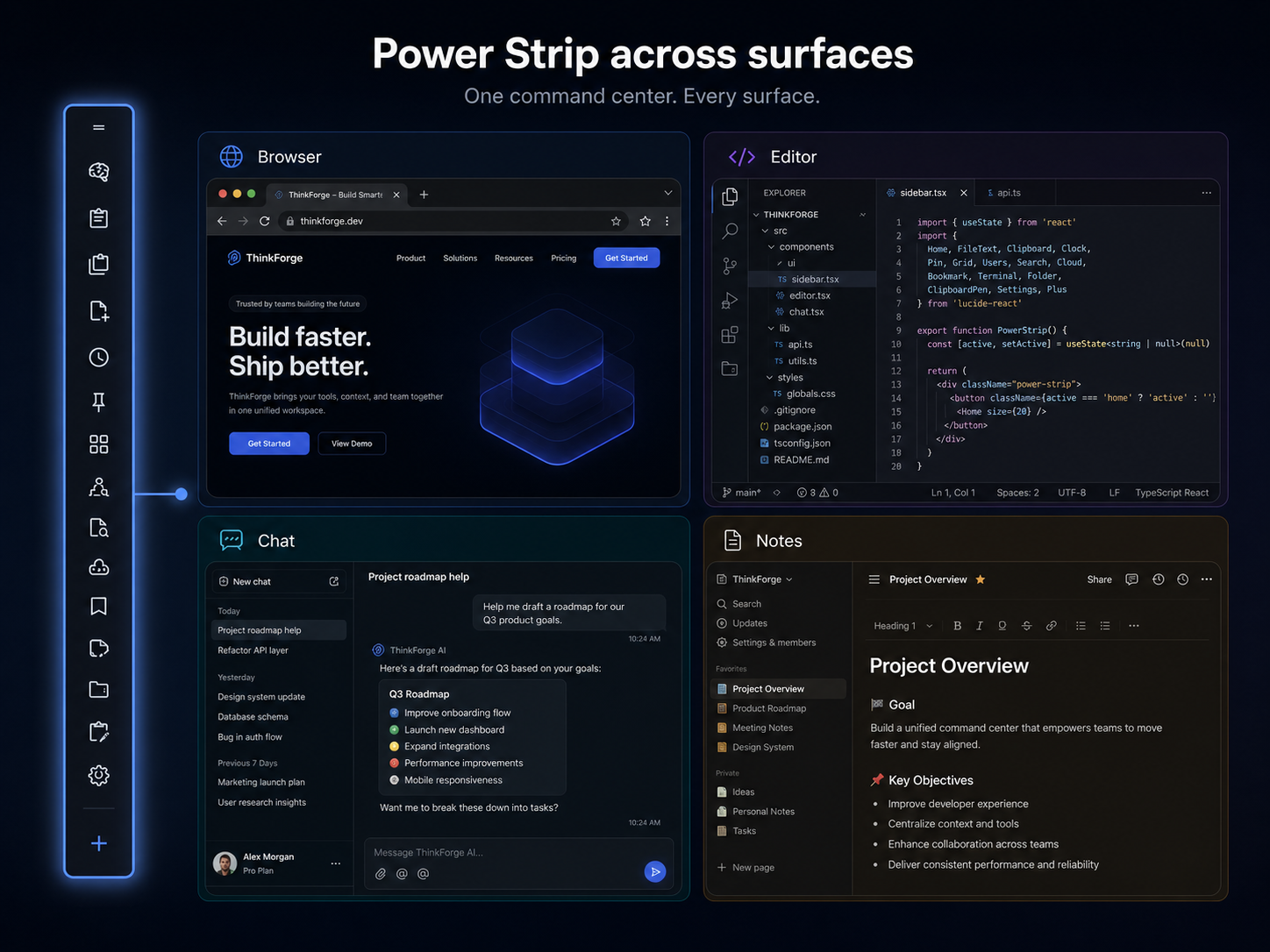
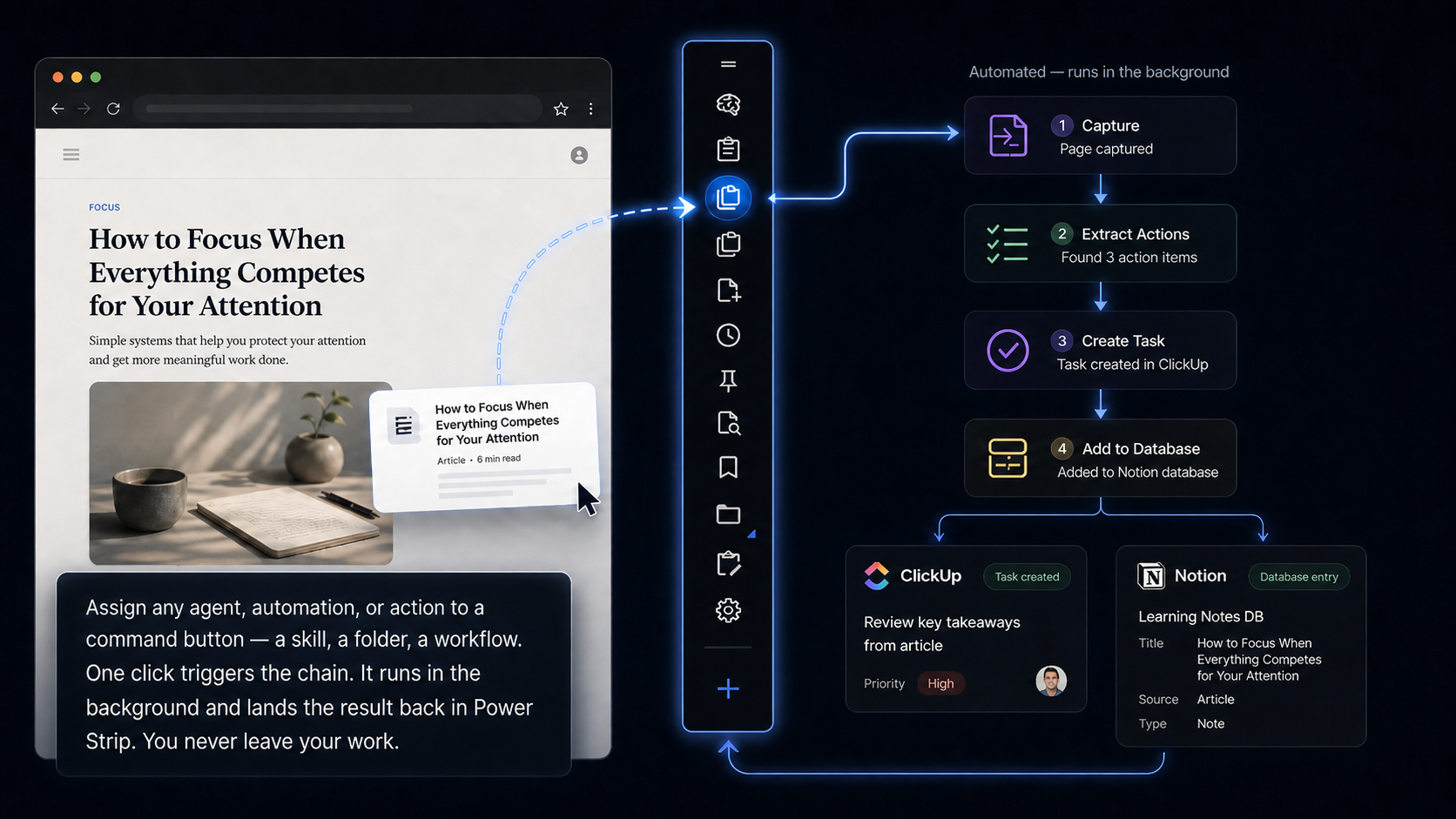
Capture a note. Save your clipboard. Drop a file into a project folder. Run a skill on a document. Drag a reference out to another app. Every action that normally costs a context switch now costs one click or one drag. You stay in your work. The work gets done behind you.
One gesture. No detour.
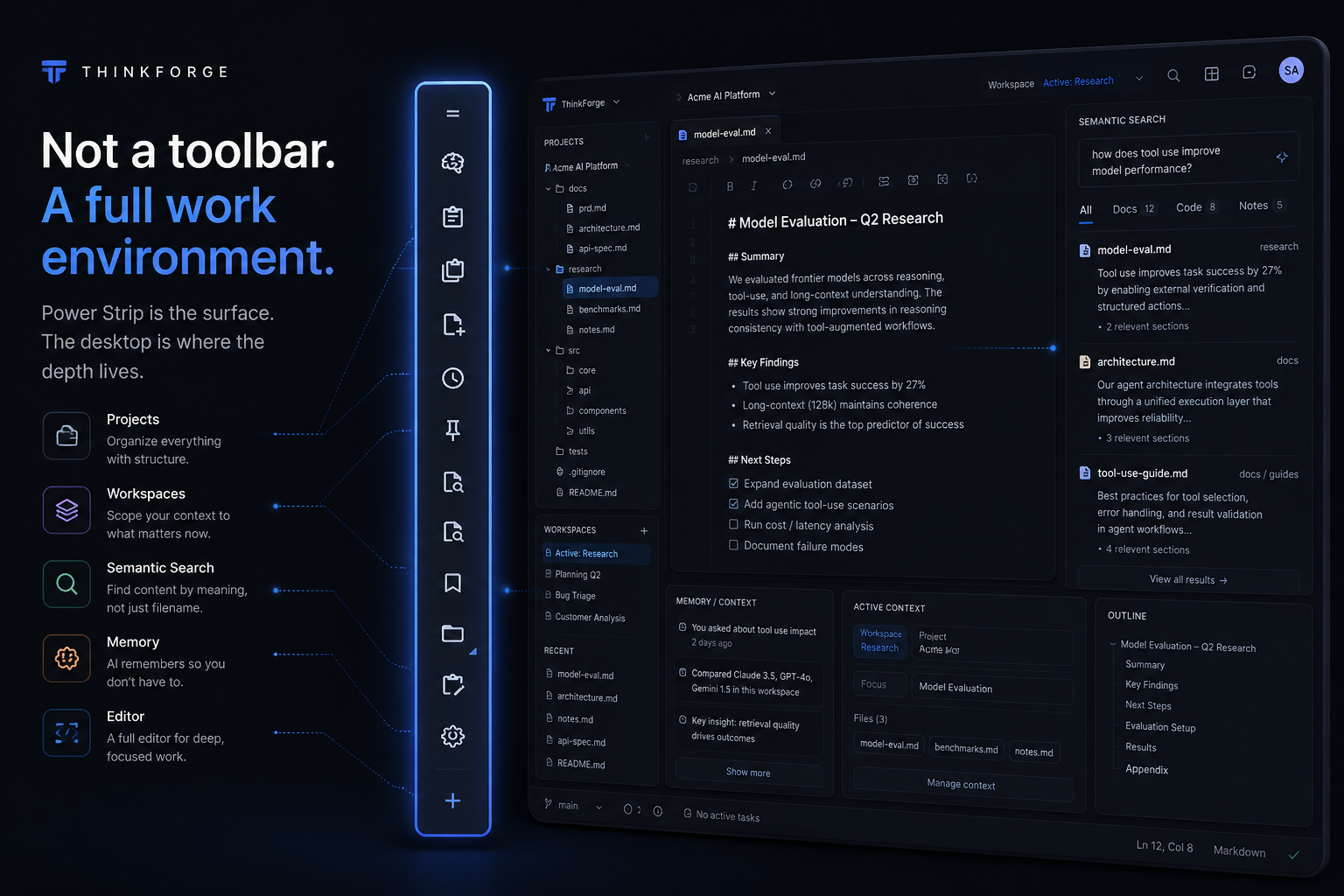
Power Strip is the surface. Behind it is a complete desktop environment — documents, projects, workspaces, semantic search, memory, folder trees, and a full editor. Everything is integrated into one product. Search finds content by meaning, not just filename. Workspaces scope your context to what matters right now. Projects hold the structure. The environment holds it all together.
The strip is how you access it. The desktop is where the depth lives.
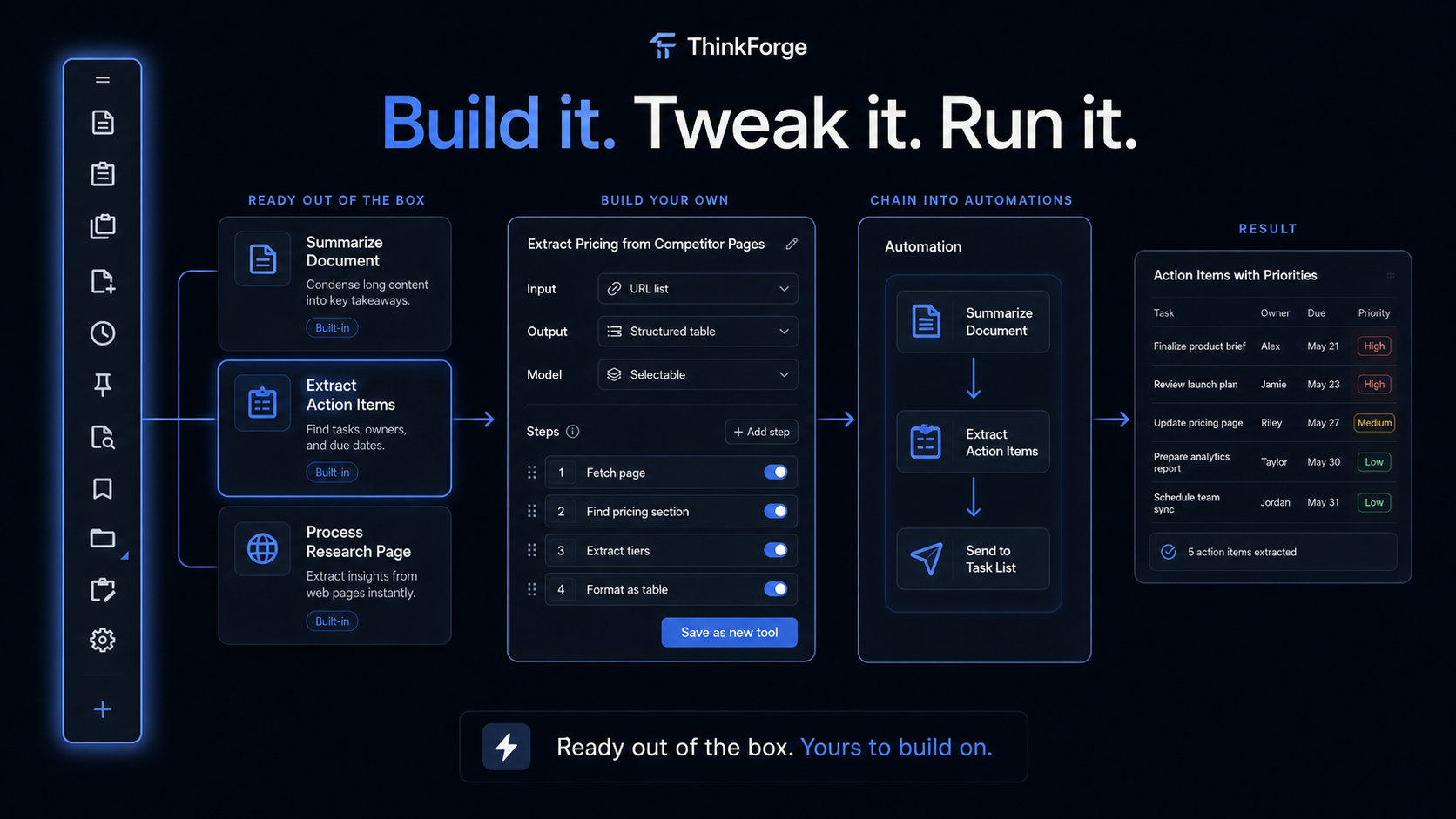
ThinkForge ships with pre-built tools you can use in the first five minutes. Summarize a document. Extract action items from a chat. Process a research page.
When you need something specific, build your own. Chain tools into automations that run end-to-end: summarize the document, extract the action items, and drop them into your task list in one pass.
Some tools do not need AI at all, and we do not pretend they do. For the ones that do, use whichever AI works best for the job, and swap it whenever you want.
You do not wait on a product team. You do not file a feature request. You build it yourself.
Ready out of the box. Yours to build on whenever you want.
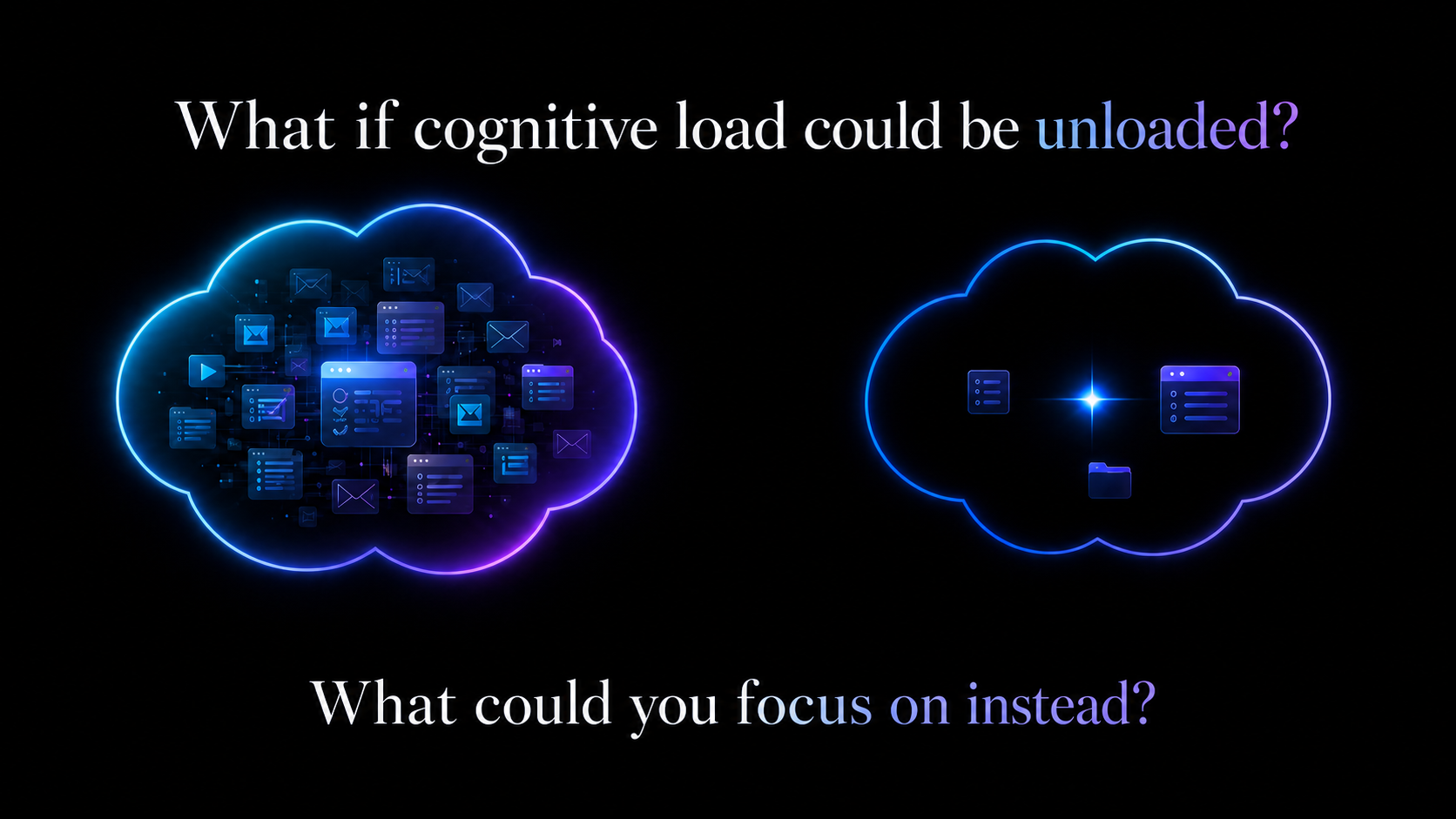
Every section above this showed you what ThinkForge adds. This is about what it removes. No tab juggling. No app switching. No re-finding the thing you had open ten minutes ago. No maintaining a system just to maintain a system. The cognitive load drops because the environment handles the parts your brain was tracking manually.
The best tool is the one that asks the least of you.
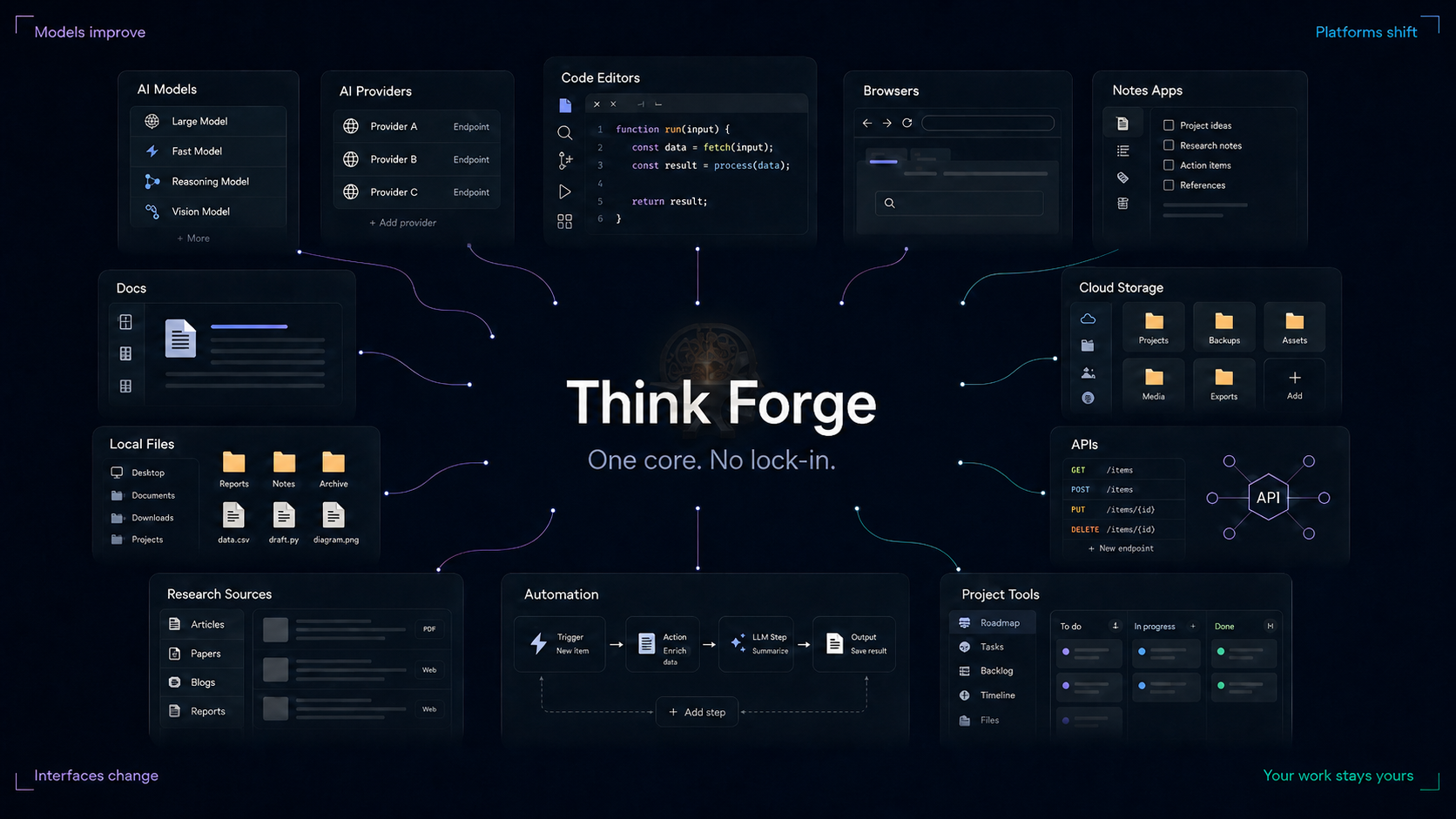
The technology around your work keeps shifting. Models improve. Platforms change. New interfaces show up. You should be able to use what works without rebuilding your workflow around someone else's system.
ThinkForge gives your work a stable core across the apps, files, providers, and workflows you already use. Link what already works. Add ThinkForge features where they help. Swap tools when better ones come along.
One core. No lock-in. Just work.
ThinkForge is local-first by design. Your documents stay as real files on your machine. Your project memory lives in local databases. Search runs locally. Core workflows do not require a cloud workspace or a rented subscription just to keep using your own system.
This is not another app trying to become the place where your work gets trapped. ThinkForge is built to make your work more useful while keeping it yours.
Local storage. Private by default. No forced subscription. No lock-in.
Power Strip sits on top of everything you do. No launching, no switching, no hunting.
Agents aren't trapped in a chat window. They reach everywhere your work lives.
Your system never becomes hostage to someone else's roadmap.
ThinkForge is a new kind of work environment, but it is not trying to make you relearn how to work.
Projects still feel like projects. Files still feel like files. Tools do clear jobs. Tools can be chained together to perform more complex tasks. Search helps you find what you already made.
The difference is that these pieces are connected from the start.
Start with the tools that ship with ThinkForge. Capture, summarize, search, organize, extract action items, process research, and run repeatable workflows without rebuilding your system from scratch.
As ThinkForge grows, the tool and automation library will grow with it.
Start with practical tools for capture, search, summaries, extraction, organization, and repeatable work.
Chain tools together into larger workflows that operate across files, browser context, projects, and external apps.
Use normal files and project structure while ThinkForge adds search, memory, context, and actions around them.
Join before public release for beta access, product updates, feedback opportunities, and priority launch pricing.
Project workspaces
Pre-configured with the structure, tools, and agents you need. Customize once, reuse every time.
Plan ideas, scripts, thumbnails, recording checklists, editing notes, and publishing workflows from one reusable channel workspace.
Set up the YouTube production →Organize episodes, guests, outlines, show notes, clips, and publishing steps for both audio and video podcasts.
Explore the Podcast production →Plan issues, collect links, draft sections, manage sponsors, and build a repeatable publishing rhythm.
See the Newsletter production →Manage hooks, clips, captions, repurposing ideas, and posting schedules for Shorts, Reels, and TikTok.
Try the Short-form content →Turn one anchor piece into clips, posts, newsletters, and blogs without rebuilding the process every time.
Get the Content repurposing →Plan modules, lessons, scripts, worksheets, recording tasks, student feedback, and updates.
Set up the Online course →Run the operating system of a small business with offers, clients, content, and admin connected in one place.
Explore the Small business →Manage discovery notes, scope, pricing, drafts, follow-ups, signed files, and reusable proposal pieces.
See the Client proposal →Onboard new clients with welcome packets, contracts, kickoff notes, and reusable checklists.
Get the Client onboarding →Keep messaging, assets, launch tasks, email sequences, social posts, FAQs, and post-launch notes connected.
Try the Product launch →Plan campaign goals, channels, assets, schedules, and post-campaign reviews from a reusable structure.
Set up the Marketing campaign →Track leads, conversations, follow-ups, and deal stages in a personal CRM built around how you actually sell.
Explore the Lead pipeline →Manage sources, citations, literature reviews, drafts, and feedback for papers, theses, or dissertations.
See the Academic research →Run competitive analyses, customer research, industry deep dives, and synthesis reports for clients or your own decisions.
Get the Market research →Track a long-running story or topic across many sources over time, for journalists, analysts, and deep-dive writers.
Try the Investigative research →Outline chapters, draft scenes, manage research, track revisions, and keep notes from beta readers in one place.
Explore the Book writing →Manage client engagements, session notes, frameworks, and follow-ups across an ongoing roster.
Set up the Coaching and consulting →A pre-configured project structure for building modular web apps that do not collapse under their own weight as features pile on. Loaded with opinionated JavaScript conventions for solo builders shipping with AI assistance.
Get the Web app →Plan features, manage screens, track decisions, and keep AI conversations connected to a single mobile project across iOS and Android.
Set up the Mobile app →Plan features, manage manifest and permissions, organize content scripts and background scripts, and track store listing materials for Chrome, Firefox, and Edge extensions.
See the Browser extension →Plan mechanics, track assets, manage playtesting feedback, and organize design decisions across a hobby or first commercial project.
Try the Indie game dev →ThinkForge Desktop launches by June 2026. Join the Early Adopter Program for beta access, product updates, and priority launch pricing.
Built local-first. One-time purchase. No subscription lock-in.